
A warehouse pallet dimensioner captures freight dimensions, but its real value depends on where that capture happens inside the warehouse workflow.
Pallet dimensioner placement decides whether the data reaches the right stage at the right time. A scan zone that fits the workflow supports faster decisions at receiving, dispatch, staging, cross-dock, and freight audit without adding steps or slowing throughput.
This guide explains where a warehouse pallet dimensioner belongs in the workflow, how each location serves a different purpose, and what buyers should check before choosing the scan zone.
What is a warehouse pallet dimensioner?
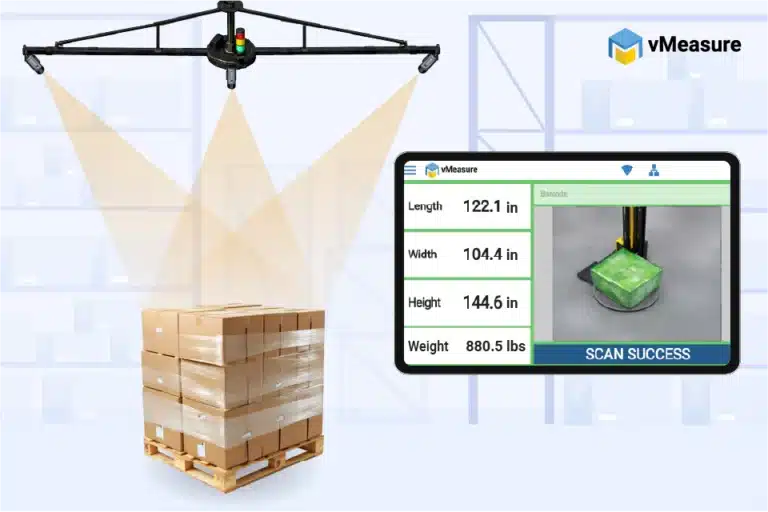
A warehouse pallet dimensioner measures the outer dimensions of palletized freight as it moves through the warehouse. It captures the pallet’s length, width, and height at a defined point in the workflow, so the record is available before the pallet moves to the next step.
Warehouses use this record when pallet size affects movement, storage, shipment planning, carrier handoff, or freight review. Because the record supports the next steps in the workflow, the scan point should sit before the stage where your warehouse needs the dimension data.
Unlike manual measurement, a warehouse pallet dimension scanner system gives warehouses a more consistent way to capture pallet dimensions without relying on tape measures, written notes, or separate photos. This matters when freight includes overhang, mixed loads, wrapped pallets, or size variation.
For buyers, the key decision is simple: place the scan point where pallet measurement supports the next step in the workflow.
Where should a pallet dimensioner be installed in a warehouse?
A pallet dimensioner should be installed where the pallet is stable, identified, and close to the workflow point where the dimension record is used.
The right installation point depends on how pallets move through the facility and whether your warehouse needs dimension records for inbound validation, outbound verification, audit support, shipment release, or carrier handoff.
| Workflow Point | Best Use |
|---|---|
|
Receiving lane |
Check inbound pallet dimensions before putaway or internal movement |
|
Staging zone |
Review outbound pallets before they move to dispatch |
|
Cross-dock area |
Capture pallet data during fast inbound-to-outbound movement |
|
Freight audit station |
Review dimensions, weight, images, and shipment records before billing or carrier review |
|
Dispatch area |
Capture the final pallet record before carrier handoff |
The installation point should support the existing movement of freight. It should not force the warehouse to move pallets only for measurement.
vMeasure warehouse pallet dimensioner fits into workflows where pallets already stop, such as floor scale stations, forklift scale workflows, and stretch wrapping stations. It captures dimensions, weight, and images at the same handling point without creating a separate measurement step.
Capture pallet data without changing your existing pallet flow.
Can a warehouse pallet dimensioner fit into receiving workflows?
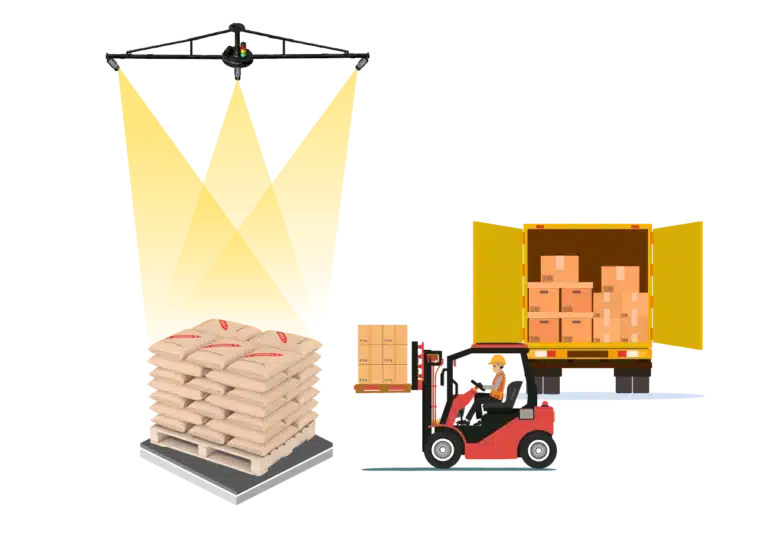
Yes. A warehouse pallet dimensioner fits into receiving workflows when the warehouse needs to validate inbound freight before the pallet moves deeper into the facility.
Buyers should install a warehouse pallet dimensioner at the receiving point when the warehouse needs to:
- Check inbound pallet dimensions before putaway, storage, staging, production, or internal movement
- Match palletized freight against the supplier record, purchase order, ASN, or internal receiving record
- Identify oversized pallets, mixed loads, overhang, irregular stacking, or damaged freight early
- Correct receiving records before the pallet moves into the next workflow stage
- Support routing or internal handling decisions with measured pallet data
Receiving should not be treated as the final freight record when the pallet changes after arrival. If the pallet is rebuilt, consolidated, wrapped, or relabeled after receiving, the inbound scan will differ from the final outbound profile.
Can a warehouse pallet dimensioner fit into dispatch workflows?
Yes. A warehouse pallet dimensioner fits into dispatch workflows when the warehouse needs to measure outbound freight close to its shipped condition.
This placement gives the warehouse a final dimension record after the pallet is picked, built, wrapped, labeled, or staged for shipment.
Buyers should install a warehouse dimension scanner system near dispatch when the warehouse needs to:
- Capture final pallet dimensions before shipment release
- Check overhang, pallet height, and outside load shape
- Review freight records before billing or carrier review
- Create shipment-level proof before the pallet leaves the facility
Since dispatch areas handle active outbound movement, the installation point should not block dock doors, trailer loading, forklift paths, or outbound lanes.

How does pallet dimensioning fit into staging, cross-dock, and freight audit areas?

Pallet dimensioning fits into staging, cross-dock, and freight audit areas when pallets pause between receiving and dispatch. These areas work well when the warehouse needs a pallet record before the freight moves to the next workflow stage.
| Area | How pallet dimensioning fits |
|---|---|
|
Staging zone |
Captures pallet dimensions before loading, or dispatch |
|
Cross-dock lane |
Captures pallet dimensions before freight moves from inbound to outbound without long-term storage |
|
Freight audit station |
Captures pallet records before shipment review, billing review, or release |
A staging zone fits best when pallets naturally wait before the next warehouse movement. This gives the warehouse time to correct overhang, height issues, or shipment record mismatches before dispatch.
A cross-dock lane fits best when pallet measurement happens quickly at a fixed stop without interrupting the inbound-to-outbound freight flow.
A freight audit station fits best when the warehouse checks pallets before shipment release, customer handoff, or carrier pickup. This location is useful when the dimension record supports internal checks, freight audit, and documentation.
Across all three areas, pallet dimensioning should happen at a defined scan point that fits the existing checkpoint instead of creating a separate process.
Capture one pallet record that supports receiving, dispatch, staging, and freight audit workflows.
How to choose the right scan zone without slowing throughput
To choose the right scan zone without slowing throughput, start with the pallet path. The scan zone should sit where the pallet already moves, pauses, or waits. It should not force a forklift operator to leave the normal route only to complete measurement.
Throughput depends on how easily pallets enter the scan zone, how consistently they are placed, and how quickly they move to the next step.
A scan zone supports throughput when:
- Forklifts can enter and exit without difficult turns
- The scan point does not block dock doors or staging lanes
- The next pallet has a safe waiting area
- The warehouse has a clear scan trigger
- The pallet does not need to be moved twice
- The measured pallet moves directly to the next process
If the scan requires extra turning, reversing, waiting, or relabeling, it will slow throughput even if the device itself measures quickly.
The right placement should answer three questions:
- Where does the pallet already stop?
- What decision happens after the scan?
- Does the scan point keep the pallet moving forward?
If the scan supports inbound decisions, place it near receiving. If it supports outbound freight records, place it near dispatch, audit, scale, wrapper, or carrier handoff. If it supports cross-dock transfer, place it at the controlled stop before outbound movement.
What warehouse layout factors should buyers check before choosing the scan zone?
Before choosing the scan zone, buyers should check the physical layout and workflow conditions around the selected installation point. A pallet dimensioning system is a fixed workflow point, so the surrounding space matters as much as the device’s location.
Use this checklist before finalizing the scan zone:
| Layout factor | What buyers should check |
|---|---|
|
Pallet flow |
Where the pallet comes from and where it moves after measurement |
|
Forklift access |
Safe approach path and clear exit path without tight turns |
|
Floor space |
Enough room for the pallet, freight profile, forklift movement, and scan access |
|
Field of view |
Racks, posts, walls, guardrails, or nearby pallets enter the scan area |
|
Pallet clearance |
Support for standard, tall, wrapped, oversized, and overhanging pallets |
|
Staging clearance |
Risk of nearby pallets crowding the scan zone during normal or peak volume |
|
Dock position |
Possible interference from dock doors, trailers, or dock equipment |
|
Scale placement |
Need to capture weight at the same point as dimensions |
|
Wrapper location |
Whether wrapping happens before or after measurement |
|
Power and network access |
Reliable power and stable connectivity near the station |
|
Scan access |
Scan trigger, verification step, and workflow fit at the measurement point |
|
Safety |
Whether the location avoids blind turns, tight maneuvering, and dock-door conflicts |
|
Lighting and visibility |
Clear view of the pallet profile for image or sensor capture |
Buyers should also check how the same location works during peak volume. A scan zone that works during normal hours should not create pallet backlog during receiving or dispatch peaks.
The model includes lifetime hardware coverage and 24/7 customer support. Continuous customer training is also available at an additional cost.
Match your pallet dimensioner setup to your layout, scan clearance, scale workflow, and data requirements.
What data should be captured at the pallet scan point?
The pallet scan point should capture the data needed to identify the pallet, measure the freight, review the record, and move the data into the next warehouse workflow.
A useful scan record should include:
| Data Captured | Why It Matters |
|---|---|
|
Length, width, and height |
Shows the space the palletized freight occupies |
|
Weight, if a validated floor scale is connected |
Supports freight planning, billing, and review |
|
Shipment ID or pallet ID |
Links the scan to the correct pallet or shipment record |
|
Order number, BOL, or LPN |
Helps the warehouse find the record in freight, order, or warehouse systems |
|
Image proof |
Shows what the pallet looked like at scan time |
|
Timestamp |
Shows when the pallet was measured |
|
Scan history |
Supports later review and traceability |
|
Operator or station detail |
Helps identify where the scan was captured |
|
Export-ready data |
Moves the record into WMS, TMS, ERP, billing, or reporting tools |
The scan record should not stay isolated inside the device. Once the pallet is measured, the same record should move into the warehouse, shipping, billing, or reporting workflow without manual re-entry.
vMeasure Forge is a SOC 2 certified cloud platform that stores the captured pallet record and moves it into existing warehouse systems through no-code API integrations, webhooks, or JSON export. No-code APIs connect scan records to WMS, TMS, ERP, billing, or reporting workflows, while JSON export supports batch uploads and internal tools.
Where does vMeasure Pallet Ultima fit in this workflow?
vMeasure Pallet Ultima fits as a fixed pallet measurement station for warehouses that need repeatable pallet data capture inside a defined workflow. It works best where pallets already stop, such as receiving points, floor scale stations, forklift scale workflows, stretch-wrapper stations, audit stations, outbound staging points, or dispatch areas.
The system captures pallet-level dimensions using depth sensor cameras. When connected with a validated floor scale, it also captures the weight of palletized freight and creates a structured pallet record with dimensions, weight, images, IDs, timestamps, and export-ready data.
vMeasure Pallet Ultima supports workflows where warehouses need:
- Inbound pallet checks at receiving
- Final outbound records near dispatch or post-wrap staging
- Pallet review before freight audit or billing review
- Image-backed records for overhang, wrapping, and freight condition
- Cloud access through vMeasure Forge
- Reporting, scan history, and data transfer into warehouse or shipping systems
vMeasure Forge simplifies the post-scan workflow by storing captured pallet records in a SOC 2 certified cloud platform and moving them into warehouse systems through no-code API integrations, webhooks, or JSON export for batch uploads and internal tools.
vMeasure Pallet Ultima supports flexible mounting options, including ceiling, column, floor, and wall mounting. This helps warehouses place the dimension scanner system around the existing pallet flow instead of changing the workflow only to fit the device.
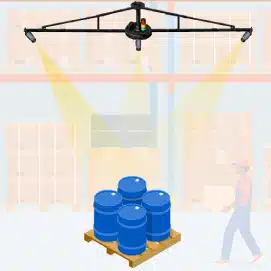
Ceiling Mount
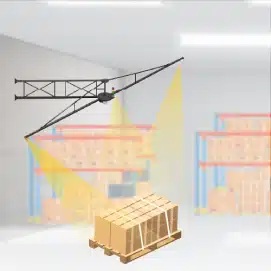
Wall Mount
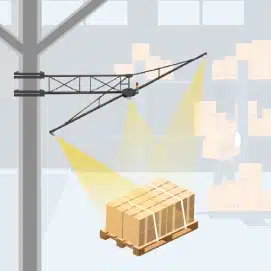
Column Mount
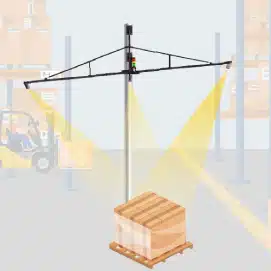
Floor Mount
Talk to the dimensioning experts
Still unsure about procuring our dimensioning system for your operations to capture the accurate dimensions, weight, and volume of your SKUs or parcels?
What do our customers say?
"…They are now indispensable components in our shipping process and have allowed us to predict shipping costs accurately…"

Bargain Book Stores
"...vMeasure provided excellent support throughout the product integration process, with readily available and effective after-sales assistance…"

Holisol
"...With vMeasure, we were able to take the cloud-based solution literally under a day and under a far more achievable budget..."

Pidge