Dimensioners that measure anything from parcels to pallets
vMeasure Dimensioner

What Hardware and Software Are Included in a Pallet Dimensioning System?

A pallet sits on the dock floor. A forklift moves into a position. In under two seconds, the system has captured its length, width, height, weight, and an image record without a tape measure, manual entry, or a second pass.
That speed is the hardware working. What happens next, including processing, storing, validating, and routing that data to your WMS, TMS, or ERP, is the software working. The two layers are physically separate but operationally inseparable.
Most buyers evaluating pallet dimensioning focus on scan speed or camera resolution. But the more useful question is what each layer is actually responsible for, and where one ends and the other begins.

What are the core components of a pallet dimensioning system?

A pallet dimensioning system has two core component groups: hardware that captures the freight and software that turns the capture into usable data. The hardware includes computer vision cameras, sensors, a structural frame, a scan zone, an integrated scale, and a scan trigger.

The software processes scan data, calculates length, width, and height, links weight and images, stores records, and routes measurement data to connected systems. vMeasure pallet dimensioner hardware and software connects these two layers into one measurement workflow.

What hardware is included in a pallet dimensioning system?
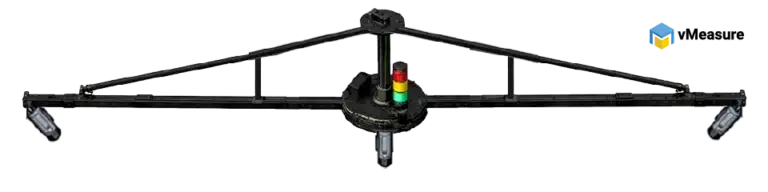
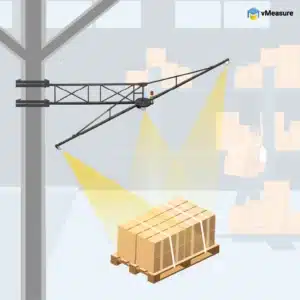
The hardware layer includes the parts used at the scan point to record freight data. This includes computer vision cameras, sensors, a structural frame, a scan zone, a scale, and a trigger mechanism. vMeasure uses computer vision cameras as part of the hardware layer to capture pallet dimensions and image records.
vMeasure pallet dimensioner hardware
Hardware component What it does in the measurement workflow
Computer vision cameras
Capture pallet shape, edges, height profile, and image records
Sensors
Capture depth, surface points, and spatial data from the scan zone
Structural frame
Holds cameras or sensors in fixed measurement positions
Scan zone
Defines where the pallet must be positioned for capture
Integrated scale
Records actual pallet weight during the same workflow
Scan trigger
Starts the measurement sequence and links the scan to a record

What do sensors and cameras capture in pallet dimensioning?

Sensors and cameras capture the outside profile of palletized freight. In pallet dimensioning hardware and software, this includes visible edges, height points, overhangs, surface shape, and image records.
vMeasure pallet dimensioner uses computer vision cameras to capture pallet dimensions and visual records at the scan point.
Capture input What it records Why it matters to the software layer
Computer vision cameras
Freight profile, edges, and images
Gives the software visual data linked to the measurement record
Depth sensing
Distance between the camera or sensor and the freight surface
Supports length, width, and height calculation
Surface points
Shape and outer boundary of the pallet load
Gives the software data to identify occupied space
Image capture
Photo record of the pallet at scan time
Links the measurement to a visual record
Camera coverage
Multiple viewing angles around the pallet
Gives the software more visibility into wrapped, tall, or irregular freight

The camera or sensor setup matters because palletized freight is not always uniform. A wrapped pallet may have bulging sides. A mixed load may have cartons placed at uneven heights. An overhanging pallet may extend beyond the base.

vMeasure pallet dimensioning hardware and software uses computer vision cameras to capture the freight profile as it appears in the scan zone. The software then uses that captured data to build the final measurement record.

Why do the frame and scan zone matter in pallet measurement?

The frame and scan zone define where measurement happens. The frame controls how the cameras or sensors see the pallet. The scan zone controls where the pallet must sit during capture. In pallet dimensioning hardware and software, both parts create a controlled physical setup before software processing begins.

The frame controls:

  • Camera position
  • Sensor angle
  • Mounting height
  • Measurement coverage
  • Visibility around the pallet load
The scan zone controls:
  • Pallet placement
  • Capture boundary
  • Object separation
  • Measurement consistency
  • The area the software reads during processing
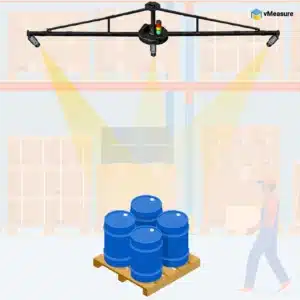
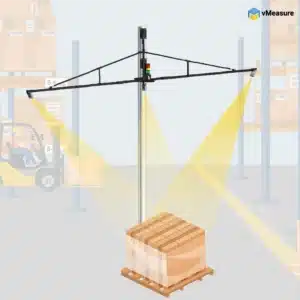
The frame may be mounted overhead, placed on a column, installed as a fixed station, or designed around a gate-style measurement area. Its position affects how clearly the system sees the pallet.
vMeasure pallet dimensioner uses the scan zone as the controlled capture area where pallet dimensions, actual weight, and image records connect to the measurement workflow.
Ceiling Mount
Ceiling Mount
wall mount
Wall Mount
vmeasure column mount
Column Mount
Floor Mount
Confused about which mounting option is best for you?

Why is an integrated floor scale part of the hardware layer?

An integrated floor scale captures actual weight at the point of measurement. Weight is a hardware input, not a software assumption. In pallet dimensioning hardware and software, the scale gives the software a measured weight value that belongs to the same scan event as the dimension and image record.
The scale adds these values to the record:
  • Actual pallet weight
  • Weight timestamp
  • Weight source
  • Link between weight and dimension capture
  • One record for size, weight, image, and shipment ID
This matters because a pallet record is incomplete if it contains only dimensions. Dimensions explain how much space the pallet occupies. Actual weight explains how heavy the freight is.
vMeasure connects actual weight with pallet dimensions and image capture so the software receives one structured measurement record instead of separate entries from separate tools.

How does the scan trigger start the measurement sequence?

A scan trigger tells the system when to start capture. The trigger is the first event in the workflow. In pallet dimensioning hardware and software, it connects the physical pallet movement to the software record that follows.
Trigger type How it starts the scan
Barcode trigger
A pallet ID or shipment ID scan starts measurement
Manual trigger
An operator starts the scan from the device or interface
Weight-sense trigger
The scale detects a pallet load and starts capture
Motion trigger
Movement inside the scan zone starts the capture sequence
API trigger
A connected system sends the scan request
The trigger also supports record matching. If the scan starts with a shipment ID, the software links the physical pallet to the correct digital record from the beginning.

vMeasure pallet dimensioning hardware and software uses the trigger event to connect captured freight data with the right measurement record.

Effortless triggering methods for pallet dimensioning

Ever wondered how simple it is to use the vMeasure pallet dimensioner?

vMeasure pallet dimensioner makes your freight cubic dimensioning process easy and quick with multiple triggering options. It enables the warehouse associate to measure more freight without having to think about it. This improves their productivity and paves the way for a smooth dimensioning workflow.

triggering method for pallet dimensioner

How Does a Pallet Dimensioning System Turn a Scan Into Measurement Data?

A pallet dimensioning system turns a scan into measurement data by moving from physical capture to software processing. The hardware captures the freight profile as raw scan data. The software reads that raw data, identifies the outer boundaries of the palletized freight, and calculates length, width, and height. vMeasure uses this hardware-to-software handoff to create structured pallet records.

What is raw scan data in pallet dimensioning?

Raw scan data is the information cameras or sensors collect from the pallet before the software processes it. It is not a clean length, width, and height value yet. In pallet dimensioning hardware and software, this data may include image details, depth readings, coordinate points, edge information, and surface details from the scan zone.
That first output still needs software processing. The camera captures the freight image, but the software has to find the actual load boundary. A depth sensor captures surface points, but the software has to separate the palletized freight from the floor, forklift tines, nearby objects, or anything else around the scan area.
vMeasure pallet dimensioner uses computer vision cameras to capture the pallet profile and image record. The software then works on that captured data to create the final measurement record.

What is a point cloud in pallet dimensioning?

A point cloud is the 3D dot map created from the scan. Each dot marks a measured point on the visible surface of the palletized freight. Read together, those points show the shape of the load inside the scan zone before the software calculates the final dimensions.
In pallet dimensioning hardware and software, the point cloud or depth output is where the hardware handoff to the software starts.
It matters because:
  • Hardware captures the freight shape
  • Software reads that captured shape
  • The final measurement comes from software processing
  • Length, width, and height are extracted after that processing
A point cloud is not the final record. It is the raw shape information the software uses to calculate the final dimensions. vMeasure pallet dimensioner follows the same principle: the hardware captures the pallet profile, and the software turns that input into structured measurement data.

How does the software calculate length, width, and height from the scan?
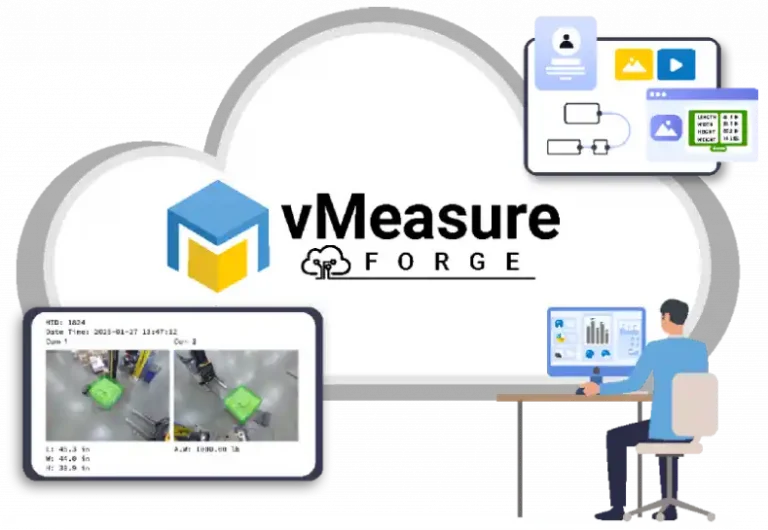
After the scan, the software reads the 3D data and finds the outside edges of the freight. It is not measuring only the pallet base. It is measuring the full space the loaded pallet occupies.
That matters when cartons lean, stretch wrap bulges, or freight extends past the pallet. These details change the final length, width, and height, so the software has to read the load as it actually sits inside the scan zone.
It also separates the pallet load from objects that should not be counted, such as forklift tines, nearby posts, or movement around the scan area. Once the scan is cleaned up, the system returns the final L x W x H value.
vMeasure pallet dimensioner software connects the calculated dimensions with the image record, weight value, scan timestamp, and shipment ID. The result is not only a measurement number. It is a complete freight record created from pallet dimensioning hardware and software working together.
Need pallet dimensions, weight, and images in one record?
See how vMeasure fits your pallet measurement workflow.
dimensioning solution software integration

What does pallet dimensioning software do after the scan?

After the scan, the pallet dimensioning software platform takes the pallet dimensions, actual weight, image, timestamp, and shipment ID and links them together. The software then stores that data in the cloud or send it to a WMS, TMS, ERP, or another connected system.

This is the point where the scan becomes useful outside the dimensioning station. The camera and scale have already captured the pallet. The software now makes that data readable for the systems that need it. In vMeasure, the same scan record can be stored in cloud records and shared through system integrations.

Software function What it does after the scan
Processing
Reads scan data and calculates length, width, and height
Record creation
Links dimensions, weight, image, timestamp, and shipment ID
Validation
Checks whether the measurement record is complete
Storage
Saves scan history and cloud records
Routing
Sends measurement data to connected systems

How does the software create a complete measurement record?

The software creates a complete measurement record by bringing together the details captured during the same scan. In pallet dimensioning hardware and software, the record should show what was measured, when it was measured, and which pallet or shipment the measurement belongs to.
A complete pallet measurement record usually includes:
  • Length, width, height
  • Actual weight
  • Pallet image
  • Timestamp
  • Scan ID
  • Shipment ID or pallet ID
  • Device ID
  • Site ID
  • Operator input, when required
vMeasure pallet dimensioner software connects dimensions, actual weight, images, timestamps, and shipment references into one record. The record should move as one unit into the next system instead of being rebuilt manually from separate tools.
Pallet dimensioning hardware and software should produce a record that stays connected through the next system handoff. That handoff may go to a WMS, TMS, ERP, shipping platform, or reporting dashboard.

How does the software validate the measurement record?

The software validates the measurement record by checking whether the captured data is complete before it moves forward. In freight measurement hardware and software, validation is a record-quality step. It is not the same as broad exception management or freight inspection.

The software checks for:

  • Missing shipment ID
  • Missing barcode
  • Missing image record
  • Missing weight value
  • Incomplete scan status
  • Dimension outside the expected range
  • Failed data transfer
  • Required field left blank
For example, if the system captures dimensions but does not receive weight from the scale, the software may flag the record as incomplete. If the shipment ID is missing, the software may hold the scan until the record is matched. If the data push to a connected system fails, the software may keep the record in scan history for review.
vMeasure keeps the software layer focused on record quality: dimensions, weight, image, timestamp, and ID stay connected before the record moves into WMS, TMS, ERP, or another connected system.

How does the software send measurement data to WMS, TMS, ERP, or other systems?

After the pallet record is complete, the software sends it to the next system in the workflow. That could be the WMS, TMS, ERP, or shipping software, depending on where the pallet data needs to go after the scan.
Integration method How it is used in pallet dimensioning software
REST API
Sends scan records between systems in real time
Webhook
Pushes a completed scan record to a connected system
CSV export
Supports scheduled or manual data exports
JSON
Transfers structured scan data between software systems
XML
Supports enterprise and legacy system data exchange
EDI
Supports freight and logistics data exchange workflows
A WMS may receive pallet dimensions, actual weight, image links, and shipment IDs for receiving, staging, putaway, or inventory records. A TMS may receive the same measurement data for shipment planning and transport records. An ERP may receive pallet data for item records, order references, or cost allocation.
vMeasure pallet dimensioning hardware and software routes captured measurement records through APIs and webhooks, while cloud records keep scan history available after capture.
Billing, DIM weight, NMFC, and BOL workflows may use the routed data later. Those are downstream uses of the same measurement record. They should not become the main focus of this guide. The main function of freight measurement hardware and software is to capture the pallet, create the record, and send that record in the right format.

Talk to the dimensioning experts

Still unsure about procuring our dimensioning system for your operations to capture the accurate dimensions, weight, and volume of your SKUs or parcels?

What do our customers say?​