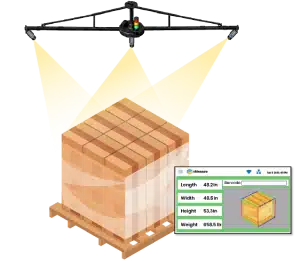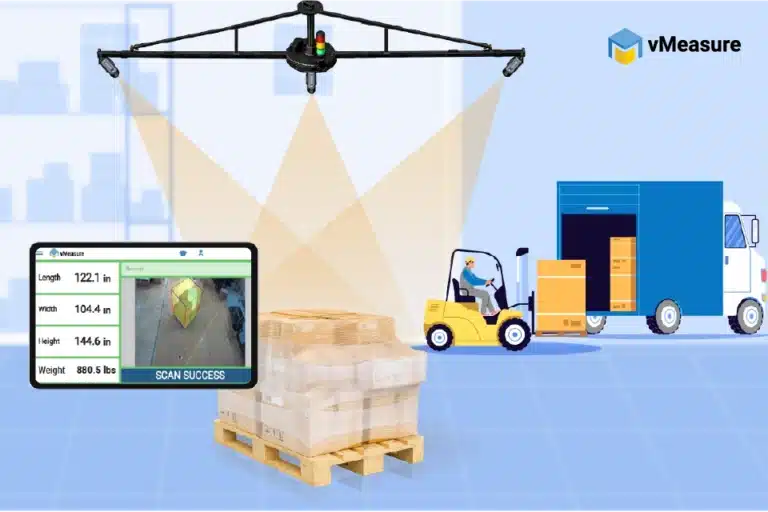
Dimensioners that measure anything from parcels to pallets
vMeasure Dimensioner

How Do Freight Cubing Solutions Support Billing Accuracy?

A few wrong inches on a shipment dimension change its density, affect freight class, and push the billed amount higher than what was originally quoted. That gap between what was declared at origin and what the carrier bills at the other end is where freight billing accuracy breaks down, and it happens more often than most shipping operations realize.
That is the problem freight cubing solutions are built to solve. When dimensions are captured accurately at origin and tied to a shipment record, the billing workflow has a measured reference to check against before a higher charge is accepted, queried, or disputed.
This guide explains how the capture layer and software layer work together to create automated freight records that are easier to verify, move, and review.

What are freight cubing solutions for billing accuracy?

Freight cubing solutions are measurement systems that capture a shipment’s length, width, height, weight, and image record before billing data is finalized.

For billing accuracy, the goal is not only to measure freight. The goal is to create a shipment-linked cube record that supports chargeable dimensions, dimensional weight, carrier review, and billing workflows. vMeasure freight cubing solutions capture pallet dimension data and connect it with shipment records so billing teams work from measured freight data instead of manual estimates.

Why does freight billing accuracy depend on cube data?

Freight billing starts with the shipment’s density. Under NMFC, density has always been one of the key factors used to classify freight, along with handling, stowability, and liability. Now that density carries more weight in many freight class decisions, the cube data behind that density needs to be accurate.

Density is calculated using shipment weight and cubic feet. Wrong cube data leads to the wrong density. That then affects the freight class and the final billed amount.

A freight cubing solution gives the billing workflow a measured starting point. With vMeasure freight cubing solution, dimensions, weight, images, pallet ID, and timestamp stay tied to the pallet record, so density-based billing starts from measured cube data instead of estimated shipment size.

Why does shipment space affect the freight bill?

Shipment space affects the freight bill because freight networks have limited physical capacity. A trailer, aircraft, or container holds only a fixed amount of freight. A shipment that is light but large still consumes space that would otherwise be available for another load.

That is why cube data matters. A large lightweight shipment may be billed by dimensional weight instead of actual weight. Freight cubing solutions make that size record more consistent before the shipment reaches the carrier.

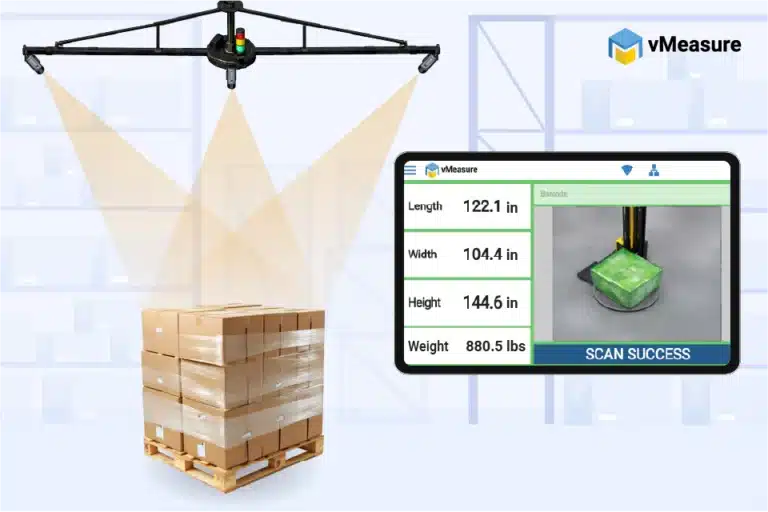
A freight cubing system improves this part of the workflow by measuring the shipment before billing data is finalized. vMeasure freight cubing system uses computer vision cameras that capture the freight’s dimensions, weight, and image record in under 2 seconds, giving billing and documentation workflows a clearer measured record instead of a manual estimate.

See how vMeasure connects freight capture with system-ready records.

How do incorrect pallet dimensions affect billing and load planning?

A few incorrect inches in length, width, or height change the cube used for billing. Once the cube changes, the density calculation also changes. That affects freight class, chargeable dimensions, and the final billed amount.
Height creates a bigger operational problem because it affects how freight fits inside the planned trailer or equipment. If a pallet is recorded shorter than its actual height, the shipment record says it needs less space than it really does. That creates issues during load planning, carrier review, and billing because the declared record no longer matches the freight being moved.
vMeasure freight cubing solutions capture pallet dimensions, weight, images, pallet ID, and timestamp before carrier handoff. This gives billing and load planning workflows measured cube data instead of rounded or estimated shipment dimensions.
Need cleaner cube data before billing?
Schedule a demo to see how vMeasure freight cubing solutions create billing-ready cube records before carrier handoff.

How is freight cube used to calculate the billing figure?

Freight cube becomes part of the billing figure when the shipment’s length, width, and height are converted into volume, dimensional weight, density, or another chargeable input. The billing method depends on the carrier, freight mode, contract, and shipment type, but the starting point is always the measured cube.
That is why the cube record has to stay connected to the shipment. A freight cubing and dimensioning solution records the measured cube at origin and keeps it tied to the shipment record, so the billing workflow uses the same dimension data captured before carrier handoff.

How is freight cube calculated for billing?

Freight cube is calculated by multiplying length, width, and height.

Length × Width × Height = Cube

When dimensions are measured in inches, cubic inches are converted into cubic feet by dividing by 1,728.
Cubic inches ÷ 1,728 = Cubic feet
1,728 is used because one cubic foot contains 1,728 cubic inches, calculated as 12 × 12 × 12.
Measurement Value
Length
48 inches
Width
40 inches
Height
60 inches
Cube in cubic inches
115,200
Cube in cubic feet
66.67
Calculation:
48 × 40 × 60 = 115,200 cubic inches
115,200 ÷ 1,728 = 66.67 cubic feet
For billing, the important detail is not only the formula. It is which dimensions enter the formula. Chargeable dimensions should reflect the shipment’s maximum length, width, and height. That includes overhang, protrusions, uneven stacking, and outer packaging shape.
This is where freight cubic dimensioning becomes important. It should capture the full freight size, not the easiest visible edge. If one side of a pallet extends beyond the base and that overhang is missed, the cube value changes. If the cube value changes, the billing figure also changes.

vMeasure freight cubic dimensioning captures palletized freight with listed measurement accuracy of 2 cm or 0.8 inches for length and width, and 1 cm or 0.4 inches for height. That specification gives the cube calculation a more dependable measurement base than tape-based entries.

vMeasure Pallet Two camera setup
vMeasure freight cubing solutions specifications
Maximum Dimensions
(L – W – H​)
98.4 – 98.4 – 98.4 in
8.2 – 8.2 – 8.2 ft​
250 – 250 – 250 cmhidden text
Minimum Dimensions
(L – W – H​)
9.4 – 9.4 – 4.7 in​
0.8 – 0.8 – 0.4 ft
24 – 24 – 12 cmhidden texttx
Measurement Accuracy
Length & Width – 2 cm / 0.8 in
​ Height – 1 cm / 0.4 in​
Dimensioning Timehidden
2-3 seconds
Installation Height
4.1 m / 13.4 ft (Complete Setup)​
3.6 m / 11.8 ft (Camera Height)​
vMeasure freight cubing solutions specifications
Maximum Dimensions
(L – W – H​)
154 – 150 – 134 in
13 – 12 – 11 ft
390 – 380 – 340 cmhidden text
Minimum Dimensions
(L – W – H​)
9.4 – 9.4 – 4.7 in
0.8 – 0.8 – 0.4 ft
24 – 24 – 12 cmhidden texttx
Measurement Accuracy​
Length & Width – 2 cm / 0.8 in
​ Height – 1 cm / 0.4 in​
Dimensioning Timehidden
2-3 seconds
Installation Height
5 m /16 ft (Complete Setup)​
4 m / 13 ft (Camera Height)​

How does cube data become dimensional weight?

Dimensional weight converts freight volume into a billable weight value. It is used when the space a shipment occupies matters as much as, or more than, its actual scale weight.
Once the freight cube is calculated, the carrier applies a DIM divisor to convert that volume into dimensional weight:
Freight cube ÷ DIM divisor = Dimensional weight
The DIM divisor is set by the carrier, freight mode, or contract. The billing workflow then compares dimensional weight with actual weight. The higher value often becomes the chargeable weight.

This is why the freight cube record must stay tied to the shipment. A freight cubic dimensional tool records dimensions and weight at the scan point and links that data to the pallet ID. With vMeasure freight cubing solutions, the dimensional weight calculation starts from measured freight data instead of a separate manual entry.

How do freight cubing solutions create billing-ready shipment records?

Freight cubing solutions measure freight at origin and record cube data with the shipment ID or pallet ID. That same record moves into shipping, billing, and carrier handoff workflows, so the measured data does not have to be recreated later.
vMeasure freight cubing solutions link dimensions, weight, image proof, and scan history to one pallet record. When integrated with WMS, TMS, ERP, or billing systems, the same record moves into downstream workflows instead of being copied manually.
This gives the billing workflow a record that matches the physical freight, not a copied or estimated value.

How does a freight cubing system measure the full freight size?

A freight cubing system measures the freight’s maximum length, width, and height at the scan point. For billing accuracy, the measurement should match the freight as it is handed to the carrier.
That includes:
  • Pallet overhang
  • Bulging wrap
  • Protrusions
  • Uneven stacking
  • Irregular freight shape
Measure all kinds of palletized freight in 2 seconds

With vMeasure freight cubing solutions
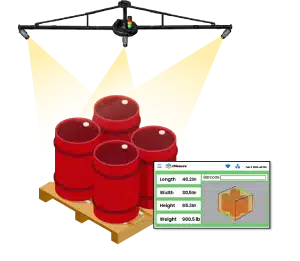
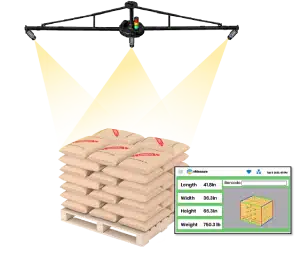
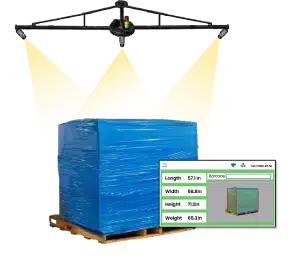
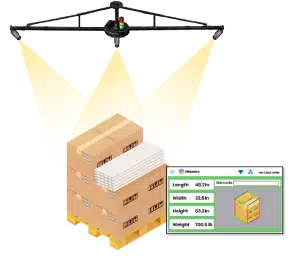
vMeasure freight cubing solutions use a 3-camera setup to capture a 360° view of the freight. This gives the system a clearer view of wrapped, uneven, or irregular palletized freight that is difficult to record from one angle.

The measured record includes the freight size as shipped, not just the pallet base or item dimensions. This gives billing reviewers a clearer reference when checking chargeable dimensions, density, or dimension-based billing changes.

What data should a billing-ready freight cube record include?

A billing-ready freight cube record should link the measurement to the shipment. The record should show what freight was measured, when it was measured, and which pallet or shipment it belongs to.
Data field Why it matters for billing accuracy
Shipment ID or pallet ID
Connects the cube record to the specific freight movement
Length, width, height
Provides the core dimension data used in billing
Cube value
Shows the calculated freight volume
Weight, where required
Supports actual weight versus dimensional weight comparison
Timestamp
Shows when the measurement was captured
Image record
Shows the freight condition at scan time
Station or operator detail
Adds context for internal review
Exportable history
Supports reporting and recurring issue analysis
vMeasure freight cubing solutions create this record at the scan point by linking dimensions, weight, images, pallet ID, and timestamp to the same pallet record. This gives billing reviewers more context than a dimension value alone.
A freight cubing tool also needs to keep scan records easy to find after freight leaves the dock. With vMeasure, cloud records, reports, APIs, webhooks, and CSV export move measurement data into WMS, TMS, ERP, billing, or reporting workflows where the record is needed later.
vMeasure enterprise dimensioning solution software integration

How does a freight cubing and dimensioning solution move data into billing workflows?

A freight cubing and dimensioning solution moves freight cube data from the scan point into the systems used for shipping and billing. This keeps the measured record in the workflow instead of leaving it as a separate warehouse entry.
Measured records should move into systems such as:
  • WMS
  • TMS
  • ERP
  • Shipping software
  • Billing systems
  • Carrier data workflows, where applicable
vMeasure freight cubing solutions connect with WMS and TMS workflows through no-code APIs and webhooks. This reduces manual entry and keeps measured freight data available where billing records are created or reviewed.
Many billing errors happen after measurement. Freight may be measured correctly, but the value still gets copied incorrectly into another platform. When vMeasure sends the measured freight cube record into downstream systems, billing relies less on copied values. The same scan record stays with the freight from measurement to carrier handoff.
Are Billing errors starting before the invoice?
Talk to us to discuss how vMeasure freight cubing solutions fit into your warehouse setup and create billing-ready records before carrier handoff.

What improves when freight billing uses accurate cube data?

Accurate freight cube data gives billing workflows a cleaner starting point. When length, width, height, and weight are captured correctly at origin, density, chargeable dimensions, and dimensional weight calculations are based on the freight as shipped.
vMeasure freight cubing solutions capture pallet dimensions in under 2 seconds, record timestamped freight images, and link the data to pallet IDs. Its larger static pallet dimensioning setup measures up to 154 x 150 x 134 inches, which fits oversized palletized freight.
Billing area What changes when freight cube data is accurate
Density calculation
Freight class decisions start with measured cube data
Chargeable dimensions
Billing records reflect the actual shipment size more consistently
Dimensional weight
The billable weight calculation uses measured freight volume
Client billing
3PLs and freight forwarders work from clearer shipment-level records
Recurring billing issues
Repeated freight cube records show where dimension differences keep appearing
With the vMeasure freight cubing solution, Shippers
Shippers vMeasure
With the vMeasure freight cubing solution, 3PL/Forwarders
3PL vmeasure
With the vMeasure freight cubing solution, Carriers
Carrier vMeasure

See how vMeasure freight cubing solution fits into your operations

Accurate billing starts with the measurement record. When the freight cube, weight, image, timestamp, and pallet ID stay tied together, the billing workflow relies less on estimates and manual corrections.

For high-volume freight operations, vMeasure freight cubing solutions reduce repeated manual work behind dimension capture. The result is a more consistent billing process across pallets, docks, and shifts.

Frequently Asked Questions

1. How does a freight cubing solution support freight audit in logistics?

In logistics, a freight cubing solution supports freight audit by giving reviewers a shipment-level freight record captured at origin. That record becomes the reference point when checking billed dimensions, carrier remeasurement charges, or differences between declared and invoiced dimensions.
Cube data supports freight invoice checks by giving reviewers a measured record to compare against the carrier invoice. If the invoice shows a different size or dimensional weight, the origin cube record gives the audit reviewer a clearer basis for checking the charge.
Carriers remeasure freight dimensions because the final charge depends on the space the freight takes up. The carrier measures the shipment again for length, width, height, and dimensional weight. If that record is different from the size declared at origin, the invoice follows the carrier’s measured value.
Actual weight is the shipment’s scale weight. Chargeable weight is the number the carrier uses for billing. For many freight shipments, the carrier compares scale weight with dimensional weight and bills the higher number under its pricing rules.

Talk to the dimensioning experts

Still unsure about procuring our dimensioning system for your operations to capture the accurate dimensions, weight, and volume of your SKUs or parcels?

What do our customers say?​