
What is an automated freight dimensioning system?

An automated freight dimensioning system is a measurement system used to measure freight without pulling out a tape measure. It records the length, width, and height of the load as digital data. In logistics operations, it is used to record the outer dimensions of palletized freight, crates, cartons, wrapped pallets, and irregular loads that need to be captured accurately.
How does an automated freight dimensioning system work in logistics operations?
| Step | What Happens | Why It Matters |
|---|---|---|
|
Freight reaches the scan point |
The pallet or freight unit arrives at the measurement area |
Measurement happens during the normal movement of freight |
|
Shipment reference is captured |
The operator scans or enters a shipment ID, pallet ID, BOL, PO, LPN, or order number |
The dimension record is tied to the correct freight unit |
|
Freight is positioned for measurement |
The load is kept within the required measurement area |
The system reads the outside freight profile |
|
Dimensions are captured |
Length, width, and height are measured automatically |
Operators do not have to measure each side by hand |
|
Record is created |
The measured dimensions are saved against the shipment reference |
The freight has a usable digital measurement record |
|
Freight moves forward |
The shipment continues to the next warehouse or shipping step |
Dimension capture does not sit outside the logistics flow |
What data does an automated freight dimensioning system capture?
An automated freight dimensioning system captures the data needed to create a usable freight measurement record. The exact fields depend on the system, setup, and workflow, but in logistics operations, the record usually includes:
- Freight dimensions to show the measured outer size of the load.
- Shipment ID or pallet ID to connect the scan to the right freight record.
- Order number, BOL, PO, LPN, or AWB to match the scan with warehouse, shipping, or carrier records.
- Timestamped freight images to show when the freight was scanned.
- Actual weight when the system is integrated with a compatible scale.
- Operator or station reference to show where the scan was completed.
- Scan record ID to make the measurement event easy to search and review.
- Export-ready data to support the next step in the logistics workflow.
This data matters because freight is often checked after it has already moved from the dock. When the scan record keeps these details together, logistics operators do not have to piece the freight record together from separate systems, files, notes, or images.
Where should an automated freight dimensioning system fit in the logistics workflow?
An automated freight dimensioning system should fit in the logistics workflow at a point where freight already pauses and where the measurement record supports the next operational step.
| Workflow Point | Why Measurement Fits Here | What the Record Supports |
|---|---|---|
|
Receiving |
Freight is checked before it moves deeper into the facility |
Inbound verification and freight records |
|
Floor scale area |
Freight is already stopped for weight capture |
Dimension and weight capture in one workflow |
|
After wrapping |
The final shipped freight profile is visible |
Outbound measurement before dispatch |
|
Staging lane |
Freight pauses before consolidation, dispatch, or movement |
Shipment verification and load planning |
|
Cross-dock lane |
Freight moves quickly between inbound and outbound flows |
Faster record creation before freight moves forward |
|
Freight audit station |
Shipment details are reviewed before release or correction |
Measurement review against freight records |
|
Dispatch area |
Freight is checked before leaving the facility |
Carrier handoff and shipment confirmation |

How does automated freight measurement reduce manual work?
| Logistics Operation | Manual Freight Measurement | With Automated Freight Dimensioning |
|---|---|---|
|
Measuring freight size |
Operator measures the pallet or load with a tape measure |
The system automatically captures freight dimensions at the scan point |
|
Checking the full freight profile |
Operator checks height, overhang, bulges, or irregular edges manually |
The system records the outside freight profile in one measurement event |
|
Recording shipment details |
Dimensions are written on paper, labels, or separate forms |
The measurement record is created digitally |
|
Linking dimensions to freight |
Shipment ID, pallet ID, BOL, PO, or LPN is matched manually |
The scan record is automatically linked to the shipment reference |
|
Adding weight details |
Weight is checked separately and entered into another record |
Weight is added to the same record when a compatible floor scale is integrated |
|
Keeping shipment proof |
Photos are taken separately or stored in a different place |
Freight images are linked to the scan record |
|
Entering data into systems |
Someone retypes dimensions into WMS, TMS, ERP, carrier, or billing tools |
Integration through API, webhooks, JSON, CSV, or export-ready files reduces repeated system entry |
|
Carrier selection or BOL generation |
Operators manually enter dimensions, select the carrier, and compare freight costs using the available shipment details |
Measured freight data automatically syncs with connected carrier, BOL generation, cost comparison, or shipping systems |
|
Reviewing the record later |
Teams check notes, photos, scale readings, or system entries separately |
The scan record gives one place to review the measured freight details |

How does image proof help freight audit and shipment verification?
- Visible overhang on the pallet or freight unit.
- Bulging cartons, leaning stacks, or irregular freight shape.
- Stretch wrap, corner boards, uneven tops, or protruding items around the load.
- The visible state of the freight at the time of measurement.
- Questions from carriers, customers, billing teams, or internal audit teams.
- Shipment records that need review after the freight has already moved.
For freight audit, image proof gives reviewers more context when dimensions, billed charges, carrier corrections, or shipment questions come up later.
How does an automated freight dimensioning solution move dimension data into WMS, TMS, or ERP systems?
An automated freight dimensioning solution moves captured dimension data from the scan record into WMS, TMS, ERP, carrier, billing, or reporting systems through integration.
| Integration Method | How It Moves Freight Dimension Data |
|---|---|
|
API integration |
Sends dimension data from the freight dimensioning system into connected WMS, TMS, ERP, carrier, or billing software |
|
Webhooks |
Pushes scan results to another system once the measurement record is created |
|
JSON export |
Moves structured scan data into downstream systems or technical workflows |
|
CSV export |
Creates a file that logistics operators can upload, review, or use for reporting |
|
SFTP or flat file transfer |
Supports file-based data movement for legacy systems |
|
Middleware |
Connects the dimensioning system with platforms that do not support direct integration |
|
Host-triggered capture |
Allows the connected system to trigger the dimensioning process and receive the scan result back |
|
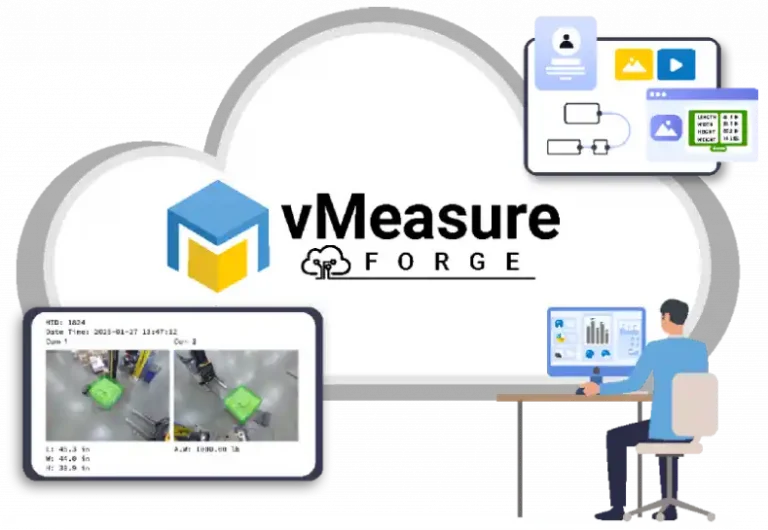
Cloud platform |
Stores scan records, images, reports, and integration-ready data in a central system |
When should logistics operators automate freight measurement?
- Freight dimensions are captured every day, but operators still rely on tape measurement or manual entry.
- Shipment records often need to be checked again because dimensions, weight, images, or reference details are missing.
- Billing, audit, carrier, or customer regularly ask for measurement proof after freight has moved.
- Handling mixed palletized freight that is hard to measure consistently by hand.
- Dimension data needs to move into WMS, TMS, ERP, carrier, billing, or reporting systems without repeated re-entry.
How does vMeasure pallet ultima fit into automated freight dimensioning workflows?
vMeasure Pallet Ultima fits into automated freight dimensioning workflows as a fixed pallet and freight measurement station. It uses computer vision-based dimensioning technology to capture freight dimensions without manual tape measurement.
Each scan record includes dimensions, freight images, barcode or shipment ID, timestamp, and weight when integrated with a compatible floor scale. Through vMeasure Forge, a cloud-based dimensioning platform, captured data moves into existing systems through no-code API integration, webhooks, and middleware. The system also supports data export for batch uploads.
Talk to the dimensioning experts
What do our customers say?

Bargain Book Stores

Holisol

Pidge